Explore event and fitness template demonstrations, then use the sample briefs and checks to adapt your own site with ChatGPT or Claude.
These are first-party demonstrations, not customer case studies. The briefs are instructions to try, not transcripts of completed builds. Sample names, metrics, images and claims are illustrative.
By Boomlink. Updated .
Template demonstration
An event page with a registration path
Give prospective attendees the date, agenda, speaker context and registration information in one place.
Explore the demo without submitting personal data. Use your own site for form testing.
Event Landing starting template, not a customer outcome.
Sample editing brief
Use the Boomlink event template for [event name]. Replace the sample date, location, speakers and agenda with [my details]. Keep a clear registration path. Explain what submitting the form means and how attendees will hear back. Remove unverified attendance numbers, testimonials and sponsor logos. Show me the preview and wait for approval before publishing.
Check the outcome on your own site
Review the date, time zone, venue, agenda and speaker permissions.
On your own site, submit a non-sensitive test registration and check the resulting record.
Check validation and duplicate-submission behavior, the confirmation message, and who follows up.
Check the mobile page and registration links, then publish and test the public URL.
Limitations: A registration request is not proof of paid ticketing, reserved capacity or an automatic confirmation email. Verify the specific workflow you configure.
Suggested copy for the Boomlink team. Keep the affiliation disclosure when sharing, and use only destinations where it is relevant and permitted.
I work on Boomlink. This first-party event template demo shows a starting point for an agenda and registration page, plus an editing brief and launch checks. It is not a customer case study.
Explore the demo without submitting personal data. Use your own site for form testing.
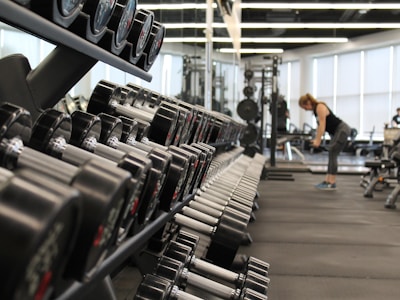
Fitness Studio starting template, not a customer outcome.
Sample editing brief
Use the Boomlink fitness template for [studio name]. Replace the class schedule, trainer biographies, membership information, address and hours with [my details]. Keep the trial-signup path and make the follow-up expectation clear. Do not invent reviews, health outcomes or membership numbers. Preview the changes before publishing.
Check the outcome on your own site
Replace sample class, coach, price and opening-hours content with your own information.
On your own site, submit a non-sensitive trial request and check the resulting record.
Check invalid input and duplicate submissions, and assign a person to follow up on requests.
Review on mobile, verify contact links and publish only after the intended flow works.
Limitations: A trial request is not a confirmed class booking or a paid membership. Subscription billing and scheduling must be verified separately.
Suggested copy for the Boomlink team. Keep the affiliation disclosure when sharing, and use only destinations where it is relevant and permitted.
I work on Boomlink. This first-party fitness template demo shows a class and trial-signup starting point, an editing brief and checks before launch. The content is illustrative, not customer results.